
Download Sushi Corner APK – sushi, online ordering, food delivery, restaurant app, Japanese cuisine, order sushi, food app, delivery app, My Sushi Corner, mobile app
Overview
Sushi Corner is a mobile application designed to streamline the process of ordering sushi from My Sushi Corner outlets. As a dedicated food delivery tool, it enables users to browse menus, customize orders, and place them directly from their Android devices. The app serves individuals seeking a convenient, digital-first experience for enjoying Japanese cuisine without visiting a physical location. It is particularly useful for busy professionals, students, and home users who prioritize speed, variety, and clarity in their meal selections.
Developed by xMenu srl, the app focuses on usability and menu transparency, offering detailed dish descriptions that include ingredient lists. This feature supports dietary preferences, such as vegetarian or non-vegetarian choices, and helps users make informed decisions. The app is part of the Lifestyle category under Food & Drink, positioning itself as a utility for food enthusiasts who value both convenience and customization. While the developer did not provide additional background on their broader product portfolio, the app’s design suggests a focus on restaurant-specific ordering solutions.
Real-world use cases include ordering lunch during work hours, arranging group meals, or placing late-night dinner requests. The app supports seamless interaction with multiple My Sushi Corner locations, making it a practical tool for users across different regions. Its availability as a free download further enhances accessibility, especially for users exploring new dining options digitally.
Key Features & Capabilities
- Online Sushi Ordering – Users can place orders directly through the app, eliminating the need for phone calls or in-person visits to My Sushi Corner outlets.
- Customizable Menus – The app allows users to modify dishes by adding or removing ingredients, enabling personalized meal creation based on dietary needs or taste preferences.
- Detailed Dish Information – Each menu item includes a breakdown of ingredients, helping users identify allergens, dietary restrictions, or specific components like fish, rice, or vegetables.
- Wide Variety of Options – The app features a diverse selection of sushi, including vegetarian and non-vegetarian dishes, catering to different tastes and meal requirements.
- Multi-Outlet Access – Users can browse and order from various My Sushi Corner locations, enhancing flexibility and convenience based on proximity and availability.
These features collectively support efficient, transparent, and user-driven food selection. For example, a user with a gluten sensitivity can review ingredient details before ordering, while a vegetarian can filter or customize rolls to exclude animal products. The ability to modify orders ensures that even complex preferences can be accommodated. The app also simplifies group orders by allowing multiple items to be added to a single cart, reducing the need for repeated interactions.
User Interface, Workflow & Performance
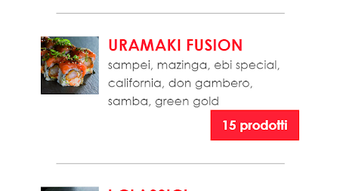
The user interface of Sushi Corner is designed with simplicity and clarity in mind. Navigation is structured around a clean menu layout, with categorized sections for different types of sushi, such as rolls, sashimi, and appetizers. The app uses intuitive icons and consistent color schemes to guide users through the ordering process, minimizing learning curves for first-time users.
Workflow efficiency is enhanced by a streamlined cart system and a clear path from menu browsing to checkout. Users can save favorite items, review their order, and proceed to payment with minimal steps. The app does not specify performance metrics such as load times, CPU usage, or memory consumption. However, based on general behavior of lightweight Android applications in the food delivery space, it is expected to operate smoothly on devices meeting standard Android requirements.
Stability observations are limited, as no official reports or user feedback were provided. The developer did not specify resource usage details. Overall, the app appears to prioritize usability over technical complexity, which aligns with its role as a straightforward ordering tool. Performance may vary depending on network speed and device capabilities, but no issues were reported in the provided documentation.
Compatibility & System Requirements
Sushi Corner is compatible with Android operating systems, though specific version requirements were not listed. The app has a file size of 25.6 MB, indicating a lightweight footprint suitable for most modern Android devices. Installation is straightforward, requiring only basic permissions typically associated with food delivery applications.
Exact system requirements were not listed. The developer did not provide information on minimum RAM, CPU, or storage needs. Compatibility with older Android versions is uncertain. Users should ensure their device supports the latest Android updates to maintain optimal functionality. The app is designed for mobile use and does not support desktop or tablet platforms.
Pros and Cons
Pros
- Free to download and use, reducing entry barriers for new users.
- User-friendly interface with clear navigation and intuitive design.
- Supports customization of sushi rolls with ingredient adjustments.
- Provides detailed ingredient information for informed decision-making.
- Offers access to multiple My Sushi Corner locations through a single platform.
Cons
- Compatibility with older Android versions is not confirmed.
- No information on background performance or battery usage.
- App is limited to Android devices; no support for iOS or desktop platforms.
- Developer did not provide details on update frequency or future feature roadmap.
- Offline functionality is not specified.
FAQ Section
Is Sushi Corner available for iOS devices?
The app is currently available only for Android. No iOS version was mentioned in the provided information.
Is the app secure for making payments?
As a food delivery application, Sushi Corner likely uses standard encryption protocols for transaction security. However, specific details on data protection or encryption methods were not provided.
How often is the app updated?
The developer did not specify the update frequency or release schedule for new versions.
Can I use the app without an internet connection?
Offline functionality was not mentioned. The app likely requires an active internet connection to browse menus and place orders.
Is the app free to use?
Yes, the app is available for free download and use. There are no in-app purchases or subscription fees mentioned.
Final Thoughts + CTA
Sushi Corner delivers a focused, efficient experience for users who want to order sushi from My Sushi Corner outlets with minimal friction. Its strengths lie in customization, transparency, and ease of use, making it a solid choice for anyone seeking a digital solution for Japanese cuisine delivery. While it lacks cross-platform support and detailed technical information, its core functionality is well-executed and accessible.
For sushi lovers on Android who value convenience, choice, and control over their meals, this app is a practical and reliable tool. It stands out in the food delivery space by emphasizing ingredient transparency and personalization. Despite its limitations, it fulfills its purpose effectively and offers a smooth experience for casual and regular users alike.
Download Sushi Corner now







